I tested Keep2Share with free downloads, Premium Pro, browser downloads, and JDownloader 2. This review is based on real usage, not copied feature tables.
The short version: free works only for occasional small files. For regular archive downloads, Premium Pro was the most practical starting point for me. Max is mainly for heavier users who often download large multi-part archives.
Check current Keep2Share plans →
Quick verdict
Keep2Share Premium makes the biggest difference when you download multiple files, use JDownloader 2, or deal with archive sets. The upgrade is less about one magic speed number and more about removing waiting time, captcha, failed resumes, and low free-speed limits.
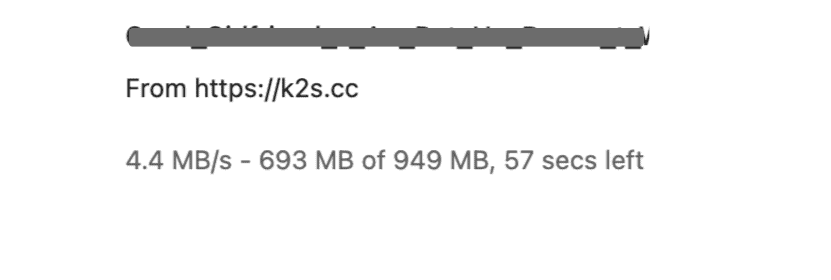
Speed – what I actually measured
Free: usually very slow in my tests, often around tens of KB/s to low hundreds of KB/s. It was usable for one small file, but painful for archive sets.
Premium Pro: browser downloads were much more usable. In my recent tests, single-file browser speed was around a few MB/s, while JDownloader 2 handled multi-file queues better.
Premium Max: useful mainly for heavier download volume. I did not see a guaranteed speed jump on every file; the bigger practical benefit is more traffic room.
Speed varied by file, server, time of day, and my own connection. I would treat screenshots as real examples, not guaranteed results.

Free download experience
Free Keep2Share downloads were the most frustrating part of the test. The main problem was not just speed. Waiting timers, captcha, one-file limits, and unreliable resume support made multi-part downloads difficult.
For a small file once in a while, free can still be acceptable. For archive sets, it quickly becomes inefficient.
For more detail, read: Why is Keep2Share free so slow?
JDownloader experience
JDownloader 2 worked much better after I added my Keep2Share Premium account. Captcha and waiting time were reduced, and resume support was more reliable than free mode.
Free account use in JDownloader 2 is still awkward for queues, because captcha, waiting time, and failed resume can break the flow.
If you mainly use download managers, read my JDownloader 2 setup guide.
Which plan I actually recommend
Premium: best only for light users. The daily traffic limit is small, so I would not pick it for regular archives.
Premium Pro: the most practical starting point for regular downloads. It has enough daily traffic for many users without jumping to the highest plan.
Premium Max: mainly for heavy users who often download large multi-part archives. It is not necessary for everyone.
I started with monthly Pro because it was easier to test without committing too much. If the plan fits your usage, you can always check the current annual pricing later.
Not sure about the daily GB limit? Read the Keep2Share traffic limit guide.
Choosing between Pro and Max? See Premium Pro vs Max.
Who should stay free?
Stay free if you only download one small file occasionally and do not care about waiting time. It is not worth paying if you rarely use Keep2Share.
Who should consider Premium?
Consider Premium if you download archive sets, use JDownloader 2, need resume support, or regularly lose time because of captcha and waiting timers.
Last words: if you only download occasionally, free is tolerable but slow. If you download archive sets regularly, Premium Pro is the plan I would test first.
Check current Keep2Share plans →
Related guides: Free vs Premium · Pricing · JDownloader 2 setup · Traffic limit · Premium Pro vs Max
Last updated: July 2026
Occasional small downloads may be manageable on Free. For regular archive downloads, the waiting time and captcha were the main reasons I moved to Pro.
Check current Keep2Share plans →